
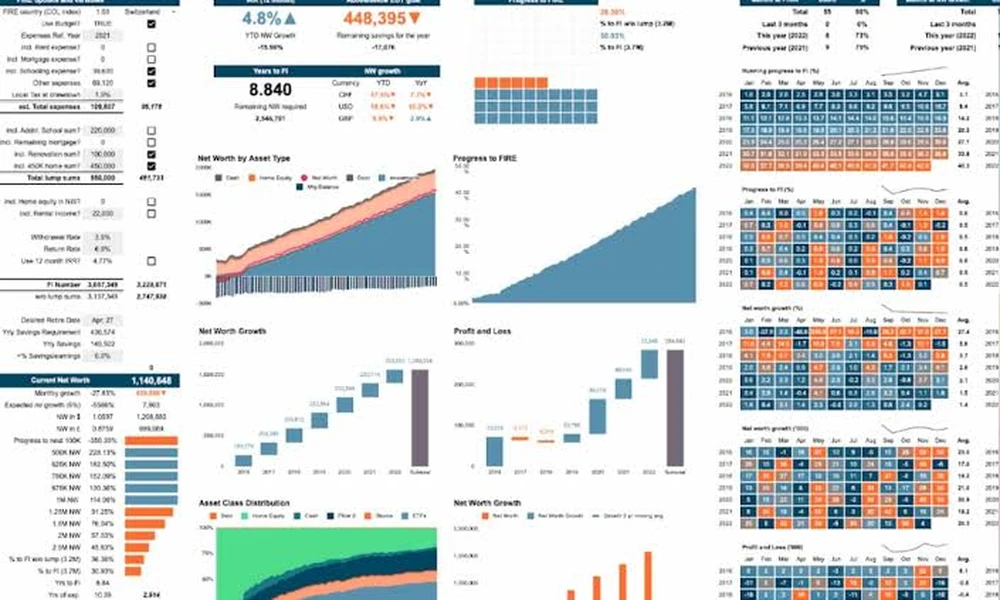
Picking a spreadsheet to follow your wealth sounds simple until you see how many options exist. Klarmo has reviewed and grouped 100 free Excel and Google Sheets templates by complexity and capability, and the range is wide. Some are a single page you fill in once. Others are multi tab workbooks with live prices and retirement projections. This guide shows you how to pick the one that fits your life instead of the one that looks the fanciest.
Start With Your Complexity Level
The first decision is how much detail you actually need. Klarmo sorts templates into four tiers, and knowing where you land saves hours of trial and error.
- Basic (36 templates): A single snapshot of assets and liabilities. Good if you only want a quick number today.
- Intermediate (44 templates): Monthly columns, trend charts and month over month change. This is the largest group and suits most households.
- Advanced (15 templates): Asset allocation, rebalancing amounts, projections and financial independence scoreboards.
- Power user (5 templates): Dashboards with live share prices, savings rate, tax treatment and multiple scenarios.
If you have never tracked your wealth before, begin at Basic or Intermediate. Moving up later is easy, while starting too advanced is the fastest way to quit in week two.
Choose Between Excel and Google Sheets
The collection includes 78 Excel templates and 49 for Google Sheets, with some working in both. Your choice affects daily habits more than you might expect.
- Excel works well offline and gives you strong formula control.
- Google Sheets is easier to open on a phone and simple to share with a partner.
- Dual format templates let you switch later without rebuilding.
Pick the tool you already open every week. A template you actually use beats a better one you forget.
Check the Features That Matter
Most templates skip advanced features, so look closely at what you get. Across the 100 reviewed, only 7 include expected cash flow or return, just 5 support live prices and 3 include transactions. If you hold shares or crypto, live prices can save real time. If you want to see how your assets might grow, look for the expected return option.
Also watch for these practical details:
- Currency support: Useful if you hold money in more than one country.
- Local versions: The collection includes templates in German, French, Swedish, Spanish, Polish, Finnish and more, plus country specific layouts for pensions such as CPF, super or EPF.
- Licence terms: Many templates are for private use only and cannot be resold or redistributed.
- Email requirements: Some downloads ask for your address before you can open the file.
Match the Template to Your Situation
Your life stage should guide your choice. A few examples:
- Students and early career: Look for templates that highlight student loans and how long your cash would last.
- Homeowners: Choose a layout with real estate value and mortgage balance on separate lines.
- Investors: Prioritise asset allocation, live prices and rebalancing tools.
- Farmers and small business owners: Several university extension templates cover farm assets and liabilities.
- Pursuing financial independence: Advanced and Power user options track savings rate and years to your target.
Build a Simple Routine
Even the best template fails without a habit. Set one date each month, ideally right after payday or at month end, and update every balance in one sitting. Keep the same categories every time so your trend line stays meaningful. Save a dated copy each quarter so you can look back at how far you have come.
Where to Start
If you want a clean starting point, begin with the Klarmo template. It records assets by type and subtype, valuation, liquidity and currency risk, debt, unrealised tax, expected net return and cash flow per asset, plus income and expenses. It is free to use and share, and it offers a good base for serious Net Worth Tracking before you decide whether you need something more elaborate.
Final Thoughts
The right spreadsheet is the one that matches your complexity level, your preferred tool and the assets you actually own. Review the tiers, test one or two templates for a month and keep the one that feels effortless. Your future self will thank you for the clear history.